Email thread
Diya Krishnan: L1 slots
Anita Rao: Karthik is free Thursday 11:00 or Friday 15:00. Can you confirm?
Applicant tracking system
Recruit is an applicant tracking system for hiring teams. Jobs, applications, interviews and offers stay in one record, and AI suggestions wait for a person to approve them.
Recruiter inbox
Recruit Copilot suggests
Send Diya a status update and ask the hiring manager to confirm the second interview panel.
Why: the application has been in “Shortlisted” for 10 days and the role's target is 5.
Second interview (L2) · Diya Krishnan
Interview Scheduling Assistant suggests
Invite sent
Wednesday, 15:30 – 16:30 · Microsoft Teams link added
Diya, Karthik and Priya each get the invite. The recruiter picked the slot.
Proposal · waiting for review
Move Rahul Iyer to Second interview (L2)
Problem and fix
Before: scattered Sample data
Email thread
Diya Krishnan: L1 slots
Anita Rao: Karthik is free Thursday 11:00 or Friday 15:00. Can you confirm?
Spreadsheet row
Chat message
Karthik Menon L1 done. Notes are in my doc, will share tonight.
Calendar invite
L2 with Priya Nair
Monday, 11:00 · video call
After: in Recruit
Senior Backend Engineer · one hiring record
Every update is on the record, with who made it.
One hire, start to finish
Follow Diya Krishnan from application to joining. Each stop shows who acted, what they recorded and what happens next.
Sample data
Diya Krishnan · Senior Backend Engineer
Diya Krishnan · Senior Backend Engineer
Diya Krishnan · Senior Backend Engineer
Diya Krishnan · Senior Backend Engineer
Diya Krishnan · Senior Backend Engineer
Diya Krishnan · Senior Backend Engineer
Product
Six parts of Recruit that a hiring team uses every week. Each one writes to the same record, so nobody re-types anything.
Each job has one workspace for its pipeline, matches, interviews, feedback, offers and activity. An AI job description generator drafts the posting for a recruiter to edit.
See jobs in the product tour
The inbox lists follow-ups, pending feedback and approvals in priority order. Saved views keep your regular queues one click away, and comments and mentions turn into tasks.
See the inbox in the product tour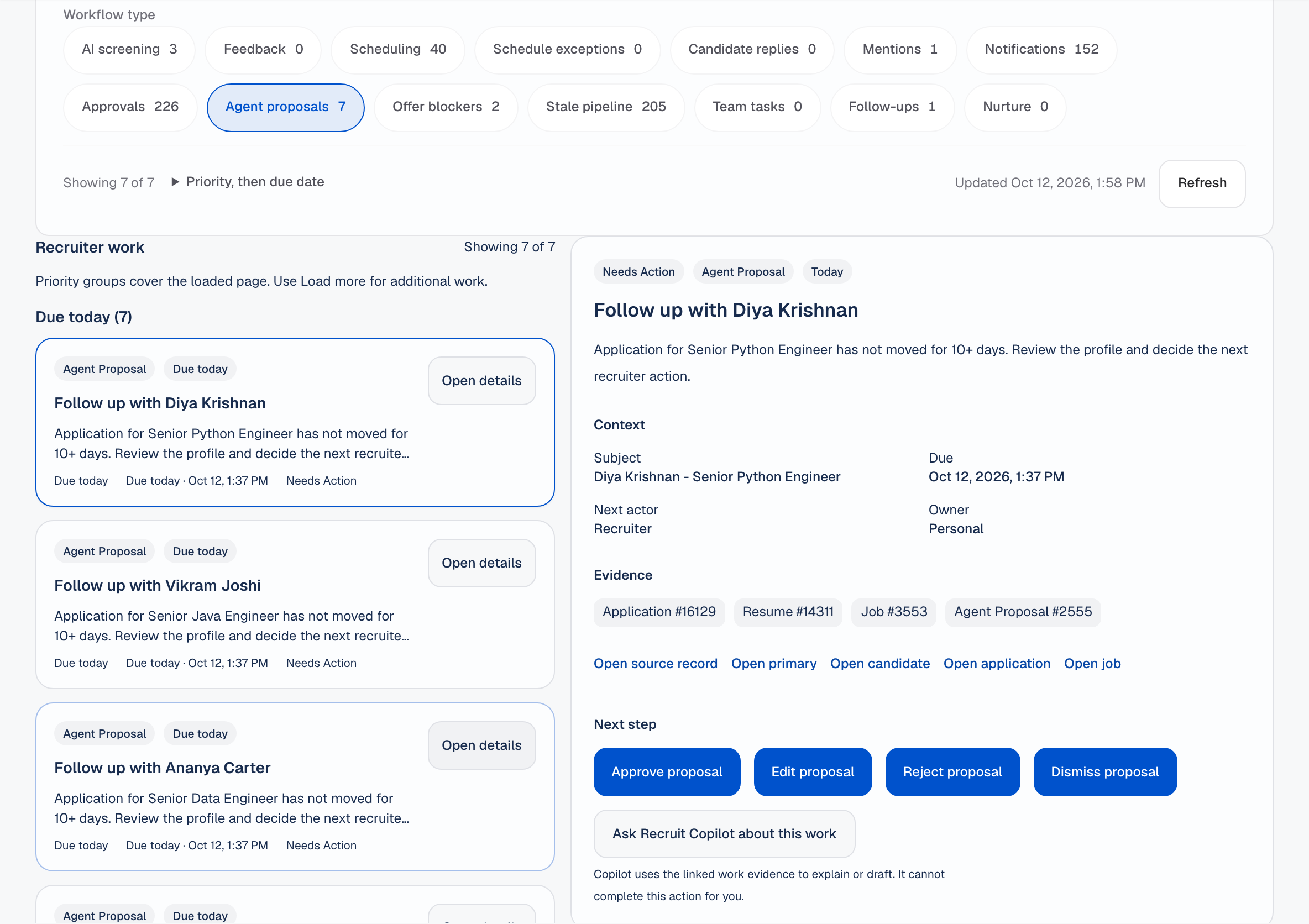
Interviewers publish their availability, the recruiter picks a slot, and the invite goes out with a meeting link. Scorecards collect the feedback. It is final once submitted, and only an admin can override it.
How interview integrity works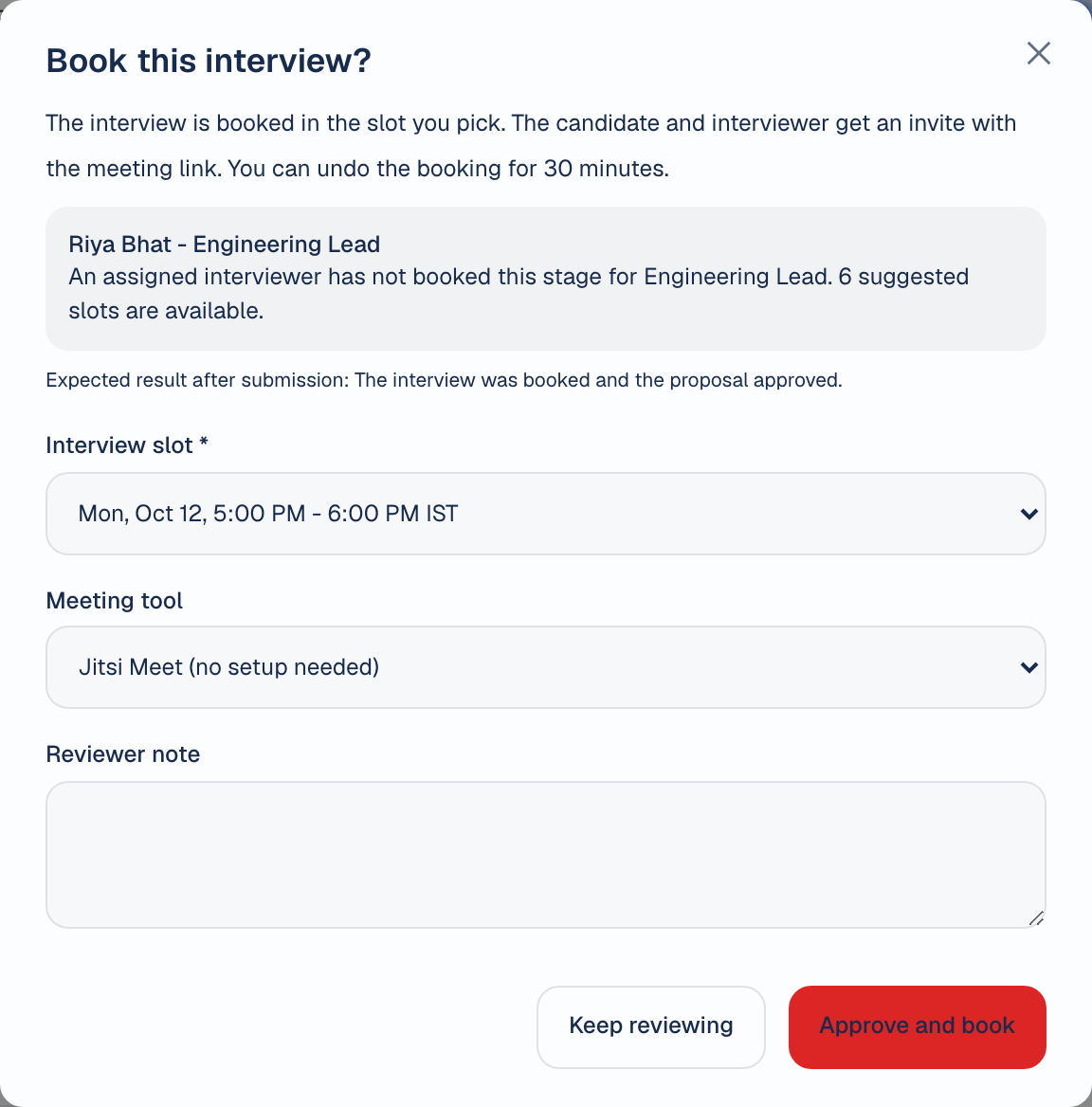
The offer panel on the job tracks each offer from draft to sent. Offer letters go out as a PDF or by email.
See offers in the product tourOffer · Product Designer
Sample dataCandidates get a secure link that shows their status and next step. Internal notes and feedback stay with your team.
See the candidate status page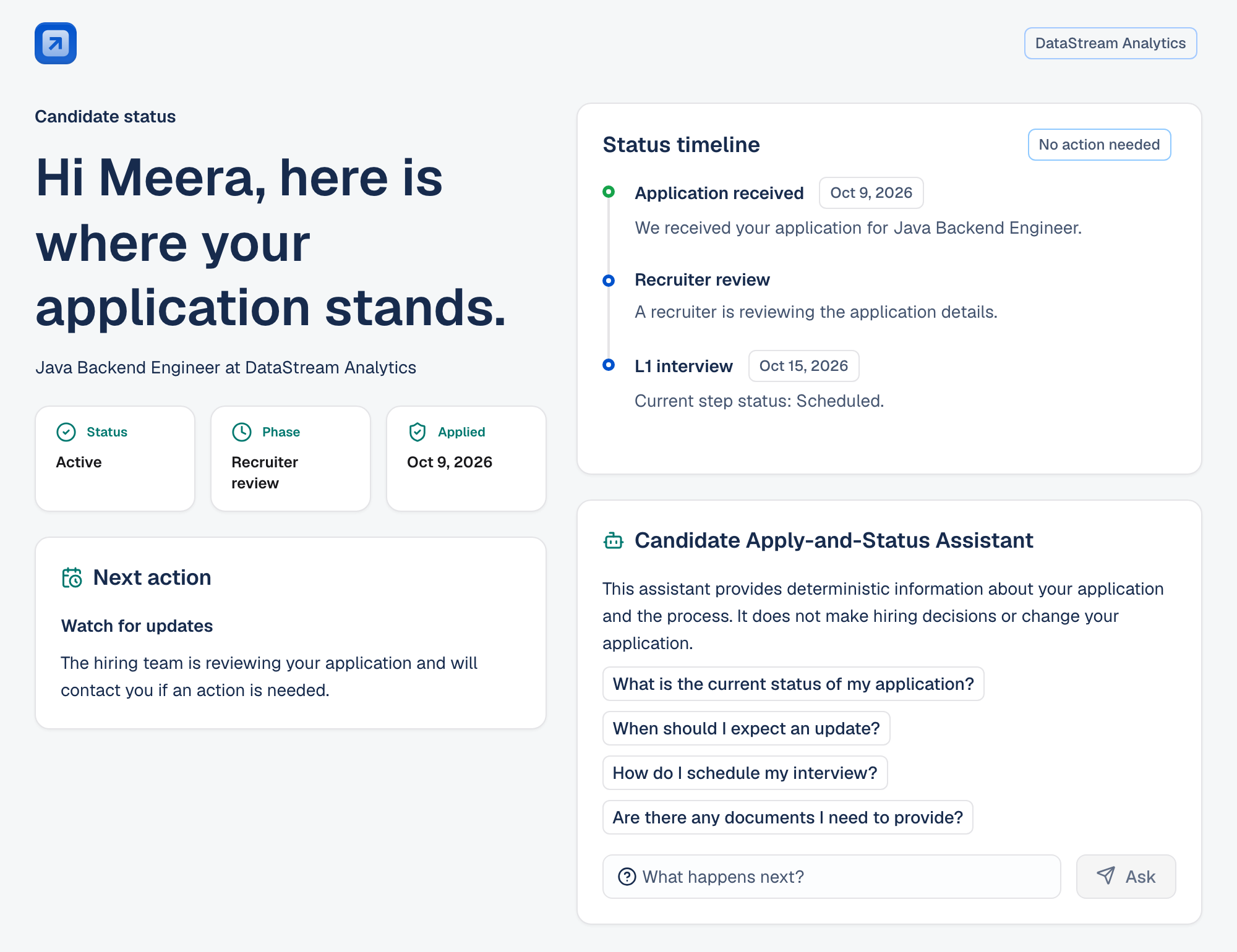
One application, two views Sample data
Recruiter view
Diya Krishnan · Senior Backend Engineer
Second interview (L2)
Internal note Strong system design round. Check notice period before the HR round.
Candidate view
Your application · Senior Backend Engineer
Second interview (L2)
Next step We will confirm your interview time by email.
Dashboards are live and shaped by role. Export to CSV or PDF, or ask AI Analytics Chat a question about your own hiring data.
See analytics in detail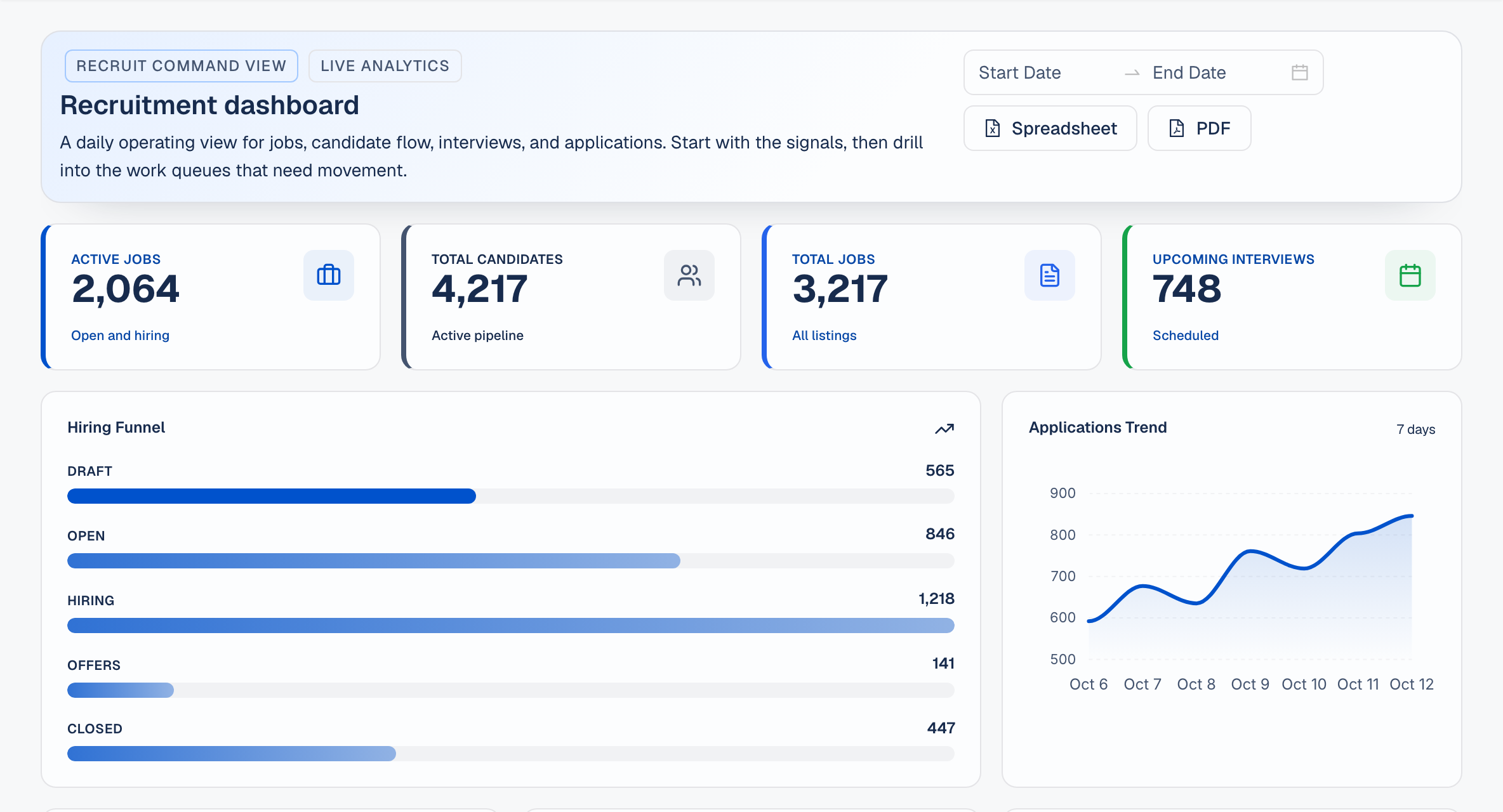
AI in Recruit
Governed AI means AI does the heavy lifting, such as reading resumes, ranking and summarising, but it shows its reasons, and a recruiter makes the final call. Every step is recorded.
Sample data Names and numbers in these previews are made up.
Scores each applicant against the job and lists strengths and gaps for the recruiter to check.
Finds people by meaning, so a good match is not missed because the resume uses different words.
Keyword match: “payments engineer” 2 found
Semantic search: same query 7 found
Answers questions about interview feedback and names the sessions it read.
How did panels rate communication for the QA Lead role?
Three of four panels rated communication strong. One asked for clearer answers on test planning.
Turns a plain question about your hiring data into a table or chart.
Offers accepted by month, this year
Reads a resume into profile fields. The recruiter reviews them before anything is saved.
Recruiter reviews and edits, then saves.
Ask your hiring data
Type a question in plain words. The answer names the records it read, so you can check it.
Which jobs are behind on feedback?
Which jobs are behind on feedback?
Four jobs have interview feedback overdue by more than two days. Senior Backend Engineer is furthest behind, with six forms outstanding.
| Job | Forms overdue | Oldest |
|---|---|---|
| Senior Backend Engineer | 6 | 5 days |
| QA Lead | 4 | 4 days |
| Product Designer | 3 | 3 days |
| Data Analyst | 2 | 3 days |
Records read: 41 interview sessions, 4 jobs
What do interviewers praise in candidates we hired?
In hired candidates' feedback, interviewers most often praise clear problem breakdown, then ownership, then communication with non-technical teammates.
| Theme | Sessions | Example |
|---|---|---|
| Problem breakdown | 9 of 14 | “Split the task before coding.” |
| Ownership | 7 of 14 | “Asked what happens after release.” |
| Clear communication | 6 of 14 | “Explained trade-offs simply.” |
Records read: 14 hired candidates, 38 feedback forms
Where are applications getting stuck?
Applications wait longest in Shortlisted, at 9 days on average against a target of 5. Most of that wait is for a hiring manager to confirm the panel.
| Stage | Avg. days | Target |
|---|---|---|
| Shortlisted | 9 | 5 |
| First interview (L1) | 4 | 4 |
| Second interview (L2) | 6 | 5 |
Records read: 126 applications, 3 stage histories
Try a question
Pre-written answers. Nothing is sent to a server.
Governed AI
Every score and suggestion comes with the evidence behind it.
AI suggestions change nothing until a person approves them.
Suggestions, approvals and edits are kept in the audit trail.
Each role sees only what it needs. Contract recruiters see only their assigned jobs.
Integrations
13 apps across 11 categories. Each one is labelled with what is available today.
Your admin can set these up from settings.
The connection is built. It needs an account with your provider.
Not available yet.
Questions
No. AI suggests, and it shows its reasons. A person reviews each suggestion and approves or rejects it. Every step is recorded.
Access depends on role. Contract recruiters only see the jobs assigned to them.
Candidates see their published status and the next step, on a secure link. They never see internal notes or interview feedback.
Whatever this page labels Live is built and available in Recruit. Items labelled Planned are on the roadmap.
In your organisation's Recruit installation. AI features use the AI provider your admin sets.
See the integrations wall above, or the full integrations page, for each app and what is available today.
Bring a real role. We will walk through it in Recruit with you.